
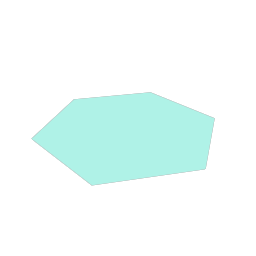
C#: make one with the Geom.Nodes.RegularPolygon() factory, then set and read its properties
by name with Set and Get, or in the Inspector, where the node
is GeomRegularPolygon.
A regular polygon in 3D space.
From code
The code used to generate this page's thumbnail.
var poly := GeomRegularPolygon.new()
poly.rotation_degrees = Vector3(90, 0, 0)
poly.radius = 1.0
poly.sides = 6
poly.angle_degrees = 17.2
poly.color = TEAL
add_child(poly)
var poly = Geom.Nodes.RegularPolygon();
poly.RotationDegrees = new Vector3(90, 0, 0);
poly.Set("radius", 1.0f);
poly.Set("sides", 6);
poly.Set("angle_degrees", 17.2f);
poly.Set("color", TEAL);
AddChild(poly);Properties
| float | angle_degrees | 90.0 |
| bool | billboard | false |
| BlendMode | blend_mode | Geom.BLEND_TRANSPARENTGeom.BlendMode.Transparent |
| bool | border | false |
| Color | color | Color(1, 1, 1, 1) |
| GeomDash | dash | null |
| Resource | fill | null |
| float | radius | 0.5 |
| ThicknessSpace | radius_space | Geom.SPACE_WORLDGeom.ThicknessSpace.World |
| float | roundness | 0.0 |
| int | sides | 6 |
| float | thickness | 0.05 |
| ThicknessSpace | thickness_space | Geom.SPACE_WORLDGeom.ThicknessSpace.World |
Enumerations
enum Geom.ThicknessSpace
- Geom.SPACE_WORLDGeom.ThicknessSpace.World = 0
- World units, the same as a node's
position. - Geom.SPACE_VIEWPORT_PIXELSGeom.ThicknessSpace.ViewportPixels = 1
- The viewport's pixels. Constant size on screen at any zoom.
- Geom.SPACE_VIEWPORT_PERCENTGeom.ThicknessSpace.ViewportPercent = 2
- Percent of the viewport's shorter side. Like CSS
vmin.
enum Geom.BlendMode
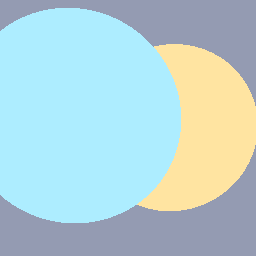
- Geom.BLEND_OPAQUEGeom.BlendMode.Opaque = 0
- Sorts by position. Hard edges: no anti-aliasing, and alpha is ignored.
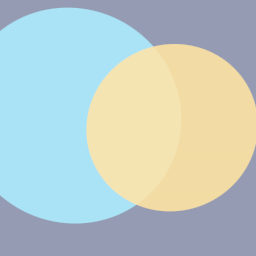
- Geom.BLEND_TRANSPARENTGeom.BlendMode.Transparent = 1
- Standard alpha blending. The default.
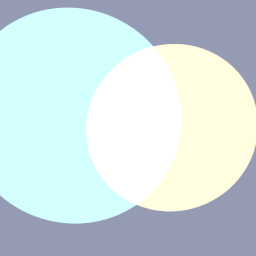
- Geom.BLEND_ADDITIVEGeom.BlendMode.Additive = 2
- Adds this color to what is behind.
- Geom.BLEND_MULTIPLYGeom.BlendMode.Multiply = 3
- Multiplies what is behind by this color.
- Geom.BLEND_SUBTRACTGeom.BlendMode.Subtract = 4
- Subtracts this color from the background.
- Geom.BLEND_TRANSPARENT_DEPTHGeom.BlendMode.TransparentDepth = 5
- Transparent, but writes depth, so shapes with alpha 1 sort by position with anti-aliased edges. A translucent color behaves like Transparent.
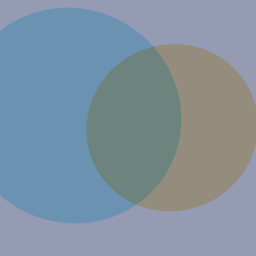
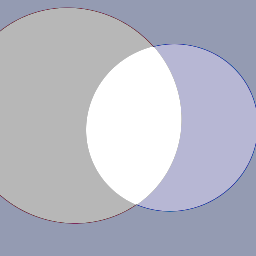
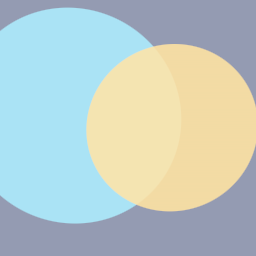
Property descriptions
float angle_degrees = 90.0
Rotation about the center. The angle points at an edge's midpoint, not a vertex.
bool billboard = false
Always face the camera.
BlendMode blend_mode = Geom.BLEND_TRANSPARENTGeom.BlendMode.Transparent
How the shape blends with what is behind it.
bool border = false
Draw an outline of thickness instead of a fill.
Color color = Color(1, 1, 1, 1)
Fill color, or the outline's color when border is set.
GeomDash dash = null
A dash pattern.
Resource fill = null
A gradient in place of color. Takes GeomFillRadial, GeomFillAngular, GeomFillLinear or GeomFillCorners.
float radius = 0.5
Center to vertex.
ThicknessSpace radius_space = Geom.SPACE_WORLDGeom.ThicknessSpace.World
How radius is measured.
float roundness = 0.0
Corner rounding, 0 sharp to 1 circular.
int sides = 6
Three or more, up to 255.
float thickness = 0.05
Outline thickness. Used only when border is set.
ThicknessSpace thickness_space = Geom.SPACE_WORLDGeom.ThicknessSpace.World
How thickness is measured.