
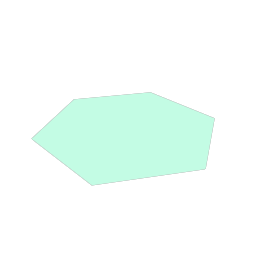
C#: make one with the Geom.Nodes.Polygon() factory, then set and read its properties
by name with Set and Get, or in the Inspector, where the node
is GeomPolygon.
A filled polygon with any number of points, in 3D space.
For an outline, draw the points as a closed GeomPolyline.
From code
The code used to generate this page's thumbnail.
var poly := GeomPolygon.new()
poly.rotation_degrees = Vector3(90, 0, 0)
poly.points = PackedVector3Array([
	Vector3(0, 1.0, 0), Vector3(0.34, 0.3, 0), Vector3(1.0, 0.2, 0),
	Vector3(0.45, -0.35, 0), Vector3(0.6, -1.0, 0), Vector3(0, -0.52, 0),
	Vector3(-0.6, -1.0, 0), Vector3(-0.45, -0.35, 0),
	Vector3(-1.0, 0.2, 0), Vector3(-0.34, 0.3, 0)])
poly.color = AMBER
add_child(poly)
var poly = Geom.Nodes.Polygon();
poly.RotationDegrees = new Vector3(90, 0, 0);
poly.Set("points", new Vector3[] {
new Vector3(0, 1.0f, 0), new Vector3(0.34f, 0.3f, 0), new Vector3(1.0f, 0.2f, 0),
new Vector3(0.45f, -0.35f, 0), new Vector3(0.6f, -1.0f, 0), new Vector3(0, -0.52f, 0),
new Vector3(-0.6f, -1.0f, 0), new Vector3(-0.45f, -0.35f, 0),
new Vector3(-1.0f, 0.2f, 0), new Vector3(-0.34f, 0.3f, 0)});
poly.Set("color", AMBER);
AddChild(poly);Properties
| BlendMode | blend_mode | Geom.BLEND_TRANSPARENTGeom.BlendMode.Transparent |
| Color | color | Color(1, 1, 1, 1) |
| bool | convex_only | false |
| Resource | fill | null |
| PackedVector3Array | points | PackedVector3Array(0, 0.5, 0, -0.5, -0.1, 0, -0.25, -0.5, 0, 0.25, -0.5, 0, 0.5, -0.1, 0) |
Enumerations
enum Geom.BlendMode
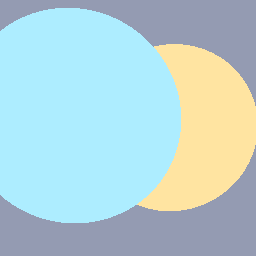
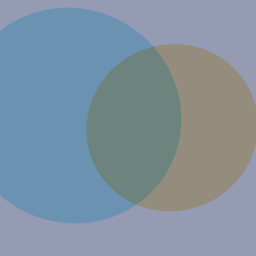
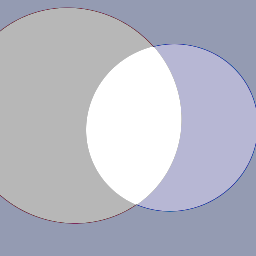
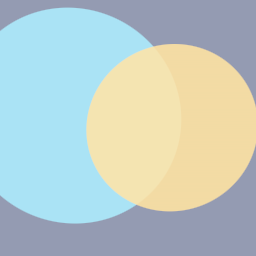
- Geom.BLEND_OPAQUEGeom.BlendMode.Opaque = 0
- Sorts by position. Hard edges: no anti-aliasing, and alpha is ignored.
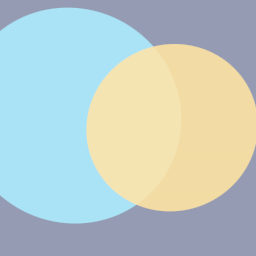
- Geom.BLEND_TRANSPARENTGeom.BlendMode.Transparent = 1
- Standard alpha blending. The default.
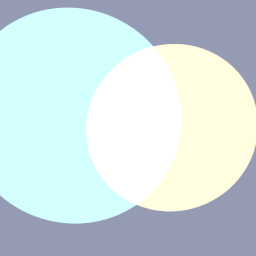
- Geom.BLEND_ADDITIVEGeom.BlendMode.Additive = 2
- Adds this color to what is behind.
- Geom.BLEND_MULTIPLYGeom.BlendMode.Multiply = 3
- Multiplies what is behind by this color.
- Geom.BLEND_SUBTRACTGeom.BlendMode.Subtract = 4
- Subtracts this color from the background.
- Geom.BLEND_TRANSPARENT_DEPTHGeom.BlendMode.TransparentDepth = 5
- Transparent, but writes depth, so shapes with alpha 1 sort by position with anti-aliased edges. A translucent color behaves like Transparent.
Property descriptions
BlendMode blend_mode = Geom.BLEND_TRANSPARENTGeom.BlendMode.Transparent
How the shape blends with what is behind it.
Color color = Color(1, 1, 1, 1)
Fill color.
bool convex_only = false
Skip the work a concave shape needs. Cheaper, but a concave polygon then draws wrong.
Resource fill = null
A gradient in place of color. Takes GeomFillLinear.
PackedVector3Array points = PackedVector3Array(0, 0.5, 0, -0.5, -0.1, 0, -0.25, -0.5, 0, 0.25, -0.5, 0, 0.5, -0.1, 0)
The corners, in order. Fewer than three draws nothing.