In C#: Everything below is named Geom.Draw.
Draws shapes from code. Available everywhere as GeomDraw.
Each call queues a shape for the current frame. Draw every frame from _process to keep a shape on screen. Consecutive shapes of one type share a draw call.
Draw state: color, thickness and the rest apply to every call after them. reset_all_draw_states() clears it; push_state() and pop_state() scope a change.
Bulk calls such as discs and lines_2d take one array entry per shape or one for all. An empty colors array uses color.
Drawing it
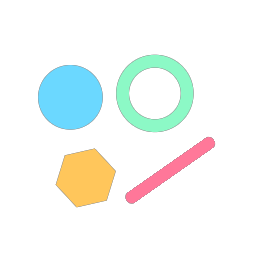
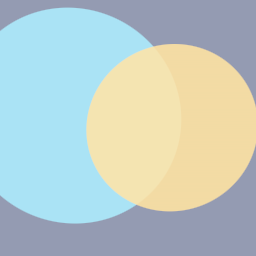
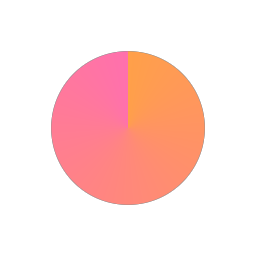
The code used to generate this page's thumbnail.
GeomDraw.thickness = vp.y * 0.05
GeomDraw.disc_2d_colored(c + Vector2(-r * 0.75, -r * 0.4), r * 0.42, EMBER)
GeomDraw.ring_2d_colored(c + Vector2(r * 0.35, -r * 0.45), r * 0.42, TEAL)
GeomDraw.polygon_angle = 0.3
GeomDraw.regular_polygon_2d_colored(c + Vector2(-r * 0.55, r * 0.65), r * 0.4, 6, AMBER)
GeomDraw.line_end_cap = Geom.CAP_ROUND
GeomDraw.line_2d_colored(c + Vector2(r * 0.05, r * 0.9), c + Vector2(r * 1.05, r * 0.2), PINK)
Geom.Draw.Thickness = vp.Y * 0.05f;
Geom.Draw.Disc2DColored(c + new Vector2(-r * 0.75f, -r * 0.4f), r * 0.42f, EMBER);
Geom.Draw.Ring2DColored(c + new Vector2(r * 0.35f, -r * 0.45f), r * 0.42f, TEAL);
Geom.Draw.PolygonAngle = 0.3f;
Geom.Draw.RegularPolygon2DColored(c + new Vector2(-r * 0.55f, r * 0.65f), r * 0.4f, 6, AMBER);
Geom.Draw.LineEndCap = Geom.LineEndCap.Round;
Geom.Draw.Line2DColored(c + new Vector2(r * 0.05f, r * 0.9f), c + new Vector2(r * 1.05f, r * 0.2f), PINK);Properties
Color and blending · Sizes and units · Line style · Rectangle and polygon style · 3D appearance · Text style · Dashes · Transforms
Sizes and units
| ThicknessSpaceThicknessSpace | radius_spaceRadiusSpace | |
| ThicknessSpaceThicknessSpace | size_spaceSizeSpace | |
| floatfloat | thicknessThickness | |
| ThicknessSpaceThicknessSpace | thickness_spaceThicknessSpace |
Line style
Rectangle and polygon style
| Vector4Vector4 | corner_radiiCornerRadii | |
| floatfloat | polygon_anglePolygonAngle | |
| boolbool | polygon_convex_onlyPolygonConvexOnly | |
| boolbool | rect_pivot_cornerRectPivotCorner | |
| floatfloat | roundnessRoundness |
3D appearance
| boolbool | billboardBillboard | |
| boolbool | cone_capConeCap | |
| intint | primitive_detailPrimitiveDetail | |
| floatfloat | shadingShading |
Dashes
| floatfloat | dash_modifierDashModifier | |
| floatfloat | dash_offsetDashOffset | |
| floatfloat | dash_sizeDashSize | |
| DashSnapDashSnap | dash_snapDashSnap | |
| DashSpaceDashSpace | dash_spaceDashSpace | |
| floatfloat | dash_spacingDashSpacing | |
| DashTypeDashType | dash_typeDashType | |
| boolbool | dashedDashed |
Methods
Frame · Counters · Style helpers · Lines (2D) · Discs, rings, pies and arcs (2D) · Rectangles (2D) · Regular polygons (2D) · Triangles and quads (2D) · Lines (3D) · Discs, rings, pies and arcs (3D) · Rectangles (3D) · Regular polygons (3D) · Triangles and quads (3D) · Solids (3D) · Polylines · Arbitrary polygons · Textures · Text
Frame
| voidvoid | begin_frame()BeginFrame() |
| voidvoid | flush_frame()FlushFrame() |
| voidvoid | request_editor_redraw()RequestEditorRedraw() |
Counters
| intint | draw_calls_3d()DrawCalls3D() |
| intint | queued_3d()Queued3D() |
| intint | draw_calls_2d()DrawCalls2D() |
| intint | queued_2d()Queued2D() |
Style helpers
| voidvoid | draw_into(viewport: Viewport)DrawInto(Viewport viewport) |
| voidvoid | draw_into_default()DrawIntoDefault() |
| voidvoid | pop_state()PopState() |
| voidvoid | push_state()PushState() |
| voidvoid | reset_all_draw_states()ResetAllDrawStates() |
| voidvoid | reset_style()ResetStyle() |
| voidvoid | reset_transform()ResetTransform() |
| voidvoid | set_corner_roundness(roundness: float)SetCornerRoundness(float roundness) |
| voidvoid | set_fill(fill: Resource)SetFill(Resource fill) |
| voidvoid | set_fill_angular(start: Color, end: Color)SetFillAngular(Color start, Color end) |
| voidvoid | set_fill_corners(a: Color, b: Color, c: Color, d: Color)SetFillCorners(Color a, Color b, Color c, Color d) |
| voidvoid | set_fill_linear(start: Color, end: Color, angle_degrees: float)SetFillLinear(Color start, Color end, float angleDegrees) |
| voidvoid | set_fill_radial(inner: Color, outer: Color)SetFillRadial(Color inner, Color outer) |
| voidvoid | set_fill_solid(color: Color)SetFillSolid(Color color) |
Lines (2D)
| voidvoid | line_2d(from: Vector2, to: Vector2)Line2D(Vector2 from, Vector2 to) |
| voidvoid | line_2d_colored(from: Vector2, to: Vector2, color: Color)Line2DColored(Vector2 from, Vector2 to, Color color) |
| voidvoid | line_2d_gradient(from: Vector2, to: Vector2, color_a: Color, color_b: Color)Line2DGradient(Vector2 from, Vector2 to, Color colorA, Color colorB) |
| voidvoid | lines_2d(from: PackedVector2Array, to: PackedVector2Array, colors: PackedColorArray)Lines2D(Vector2[] from, Vector2[] to, Color[] colors) |
Discs, rings, pies and arcs (2D)
| voidvoid | arc_2d(center: Vector2, radius: float, angle_start: float, angle_end: float)Arc2D(Vector2 center, float radius, float angleStart, float angleEnd) |
| voidvoid | arc_2d_colored(center: Vector2, radius: float, angle_start: float, angle_end: float, color: Color)Arc2DColored(Vector2 center, float radius, float angleStart, float angleEnd, Color color) |
| voidvoid | arcs_2d(centers: PackedVector2Array, radii: PackedFloat32Array, angle_starts: PackedFloat32Array, angle_ends: PackedFloat32Array, colors: PackedColorArray)Arcs2D(Vector2[] centers, float[] radii, float[] angleStarts, float[] angleEnds, Color[] colors) |
| voidvoid | disc_2d(center: Vector2, radius: float)Disc2D(Vector2 center, float radius) |
| voidvoid | disc_2d_colored(center: Vector2, radius: float, color: Color)Disc2DColored(Vector2 center, float radius, Color color) |
| voidvoid | discs_2d(centers: PackedVector2Array, radii: PackedFloat32Array, colors: PackedColorArray)Discs2D(Vector2[] centers, float[] radii, Color[] colors) |
| voidvoid | pie_2d(center: Vector2, radius: float, angle_start: float, angle_end: float)Pie2D(Vector2 center, float radius, float angleStart, float angleEnd) |
| voidvoid | pie_2d_colored(center: Vector2, radius: float, angle_start: float, angle_end: float, color: Color)Pie2DColored(Vector2 center, float radius, float angleStart, float angleEnd, Color color) |
| voidvoid | pies_2d(centers: PackedVector2Array, radii: PackedFloat32Array, angle_starts: PackedFloat32Array, angle_ends: PackedFloat32Array, colors: PackedColorArray)Pies2D(Vector2[] centers, float[] radii, float[] angleStarts, float[] angleEnds, Color[] colors) |
| voidvoid | ring_2d(center: Vector2, radius: float)Ring2D(Vector2 center, float radius) |
| voidvoid | ring_2d_colored(center: Vector2, radius: float, color: Color)Ring2DColored(Vector2 center, float radius, Color color) |
| voidvoid | rings_2d(centers: PackedVector2Array, radii: PackedFloat32Array, colors: PackedColorArray)Rings2D(Vector2[] centers, float[] radii, Color[] colors) |
Rectangles (2D)
| voidvoid | rect_2d(center: Vector2, size: Vector2)Rect2D(Vector2 center, Vector2 size) |
| voidvoid | rect_2d_colored(center: Vector2, size: Vector2, color: Color)Rect2DColored(Vector2 center, Vector2 size, Color color) |
| voidvoid | rects_2d(centers: PackedVector2Array, sizes: PackedVector2Array, colors: PackedColorArray)Rects2D(Vector2[] centers, Vector2[] sizes, Color[] colors) |
Regular polygons (2D)
| voidvoid | regular_polygon_2d(center: Vector2, radius: float, sides: int)RegularPolygon2D(Vector2 center, float radius, int sides) |
| voidvoid | regular_polygon_2d_colored(center: Vector2, radius: float, sides: int, color: Color)RegularPolygon2DColored(Vector2 center, float radius, int sides, Color color) |
| voidvoid | regular_polygons_2d(centers: PackedVector2Array, radii: PackedFloat32Array, sides: PackedInt32Array, colors: PackedColorArray)RegularPolygons2D(Vector2[] centers, float[] radii, int[] sides, Color[] colors) |
Triangles and quads (2D)
| voidvoid | quad_2d(a: Vector2, b: Vector2, c: Vector2, d: Vector2)Quad2D(Vector2 a, Vector2 b, Vector2 c, Vector2 d) |
| voidvoid | quad_2d_colored(a: Vector2, b: Vector2, c: Vector2, d: Vector2, color: Color)Quad2DColored(Vector2 a, Vector2 b, Vector2 c, Vector2 d, Color color) |
| voidvoid | quads_2d(points: PackedVector2Array, colors: PackedColorArray)Quads2D(Vector2[] points, Color[] colors) |
| voidvoid | triangle_2d(a: Vector2, b: Vector2, c: Vector2)Triangle2D(Vector2 a, Vector2 b, Vector2 c) |
| voidvoid | triangle_2d_colored(a: Vector2, b: Vector2, c: Vector2, color: Color)Triangle2DColored(Vector2 a, Vector2 b, Vector2 c, Color color) |
| voidvoid | triangles_2d(points: PackedVector2Array, colors: PackedColorArray)Triangles2D(Vector2[] points, Color[] colors) |
Lines (3D)
| voidvoid | line(from: Vector3, to: Vector3)Line(Vector3 from, Vector3 to) |
| voidvoid | line_colored(from: Vector3, to: Vector3, color: Color)LineColored(Vector3 from, Vector3 to, Color color) |
| voidvoid | line_gradient(from: Vector3, to: Vector3, color_a: Color, color_b: Color)LineGradient(Vector3 from, Vector3 to, Color colorA, Color colorB) |
| voidvoid | lines(from: PackedVector3Array, to: PackedVector3Array, colors: PackedColorArray)Lines(Vector3[] from, Vector3[] to, Color[] colors) |
Discs, rings, pies and arcs (3D)
| voidvoid | arc(center: Vector3, radius: float, angle_start: float, angle_end: float)Arc(Vector3 center, float radius, float angleStart, float angleEnd) |
| voidvoid | arc_colored(center: Vector3, radius: float, angle_start: float, angle_end: float, color: Color)ArcColored(Vector3 center, float radius, float angleStart, float angleEnd, Color color) |
| voidvoid | arcs(centers: PackedVector3Array, radii: PackedFloat32Array, angle_starts: PackedFloat32Array, angle_ends: PackedFloat32Array, colors: PackedColorArray)Arcs(Vector3[] centers, float[] radii, float[] angleStarts, float[] angleEnds, Color[] colors) |
| voidvoid | disc(center: Vector3, radius: float)Disc(Vector3 center, float radius) |
| voidvoid | disc_colored(center: Vector3, radius: float, color: Color)DiscColored(Vector3 center, float radius, Color color) |
| voidvoid | discs(centers: PackedVector3Array, radii: PackedFloat32Array, colors: PackedColorArray)Discs(Vector3[] centers, float[] radii, Color[] colors) |
| voidvoid | pie(center: Vector3, radius: float, angle_start: float, angle_end: float)Pie(Vector3 center, float radius, float angleStart, float angleEnd) |
| voidvoid | pie_colored(center: Vector3, radius: float, angle_start: float, angle_end: float, color: Color)PieColored(Vector3 center, float radius, float angleStart, float angleEnd, Color color) |
| voidvoid | pies(centers: PackedVector3Array, radii: PackedFloat32Array, angle_starts: PackedFloat32Array, angle_ends: PackedFloat32Array, colors: PackedColorArray)Pies(Vector3[] centers, float[] radii, float[] angleStarts, float[] angleEnds, Color[] colors) |
| voidvoid | ring(center: Vector3, radius: float)Ring(Vector3 center, float radius) |
| voidvoid | ring_colored(center: Vector3, radius: float, color: Color)RingColored(Vector3 center, float radius, Color color) |
| voidvoid | rings(centers: PackedVector3Array, radii: PackedFloat32Array, colors: PackedColorArray)Rings(Vector3[] centers, float[] radii, Color[] colors) |
Rectangles (3D)
| voidvoid | rect(center: Vector3, size: Vector2)Rect(Vector3 center, Vector2 size) |
| voidvoid | rect_colored(center: Vector3, size: Vector2, color: Color)RectColored(Vector3 center, Vector2 size, Color color) |
| voidvoid | rects(centers: PackedVector3Array, sizes: PackedVector2Array, colors: PackedColorArray)Rects(Vector3[] centers, Vector2[] sizes, Color[] colors) |
Regular polygons (3D)
| voidvoid | regular_polygon(center: Vector3, radius: float, sides: int)RegularPolygon(Vector3 center, float radius, int sides) |
| voidvoid | regular_polygon_colored(center: Vector3, radius: float, sides: int, color: Color)RegularPolygonColored(Vector3 center, float radius, int sides, Color color) |
| voidvoid | regular_polygons(centers: PackedVector3Array, radii: PackedFloat32Array, sides: PackedInt32Array, colors: PackedColorArray)RegularPolygons(Vector3[] centers, float[] radii, int[] sides, Color[] colors) |
Triangles and quads (3D)
| voidvoid | quad(a: Vector3, b: Vector3, c: Vector3, d: Vector3)Quad(Vector3 a, Vector3 b, Vector3 c, Vector3 d) |
| voidvoid | quad_colored(a: Vector3, b: Vector3, c: Vector3, d: Vector3, color: Color)QuadColored(Vector3 a, Vector3 b, Vector3 c, Vector3 d, Color color) |
| voidvoid | quads(points: PackedVector3Array, colors: PackedColorArray)Quads(Vector3[] points, Color[] colors) |
| voidvoid | triangle(a: Vector3, b: Vector3, c: Vector3)Triangle(Vector3 a, Vector3 b, Vector3 c) |
| voidvoid | triangle_colored(a: Vector3, b: Vector3, c: Vector3, color: Color)TriangleColored(Vector3 a, Vector3 b, Vector3 c, Color color) |
| voidvoid | triangles(points: PackedVector3Array, colors: PackedColorArray)Triangles(Vector3[] points, Color[] colors) |
Solids (3D)
| voidvoid | cone(base: Vector3, radius: float, length: float)Cone(Vector3 @base, float radius, float length) |
| voidvoid | cone_colored(base: Vector3, radius: float, length: float, color: Color)ConeColored(Vector3 @base, float radius, float length, Color color) |
| voidvoid | cube(center: Vector3, size: float)Cube(Vector3 center, float size) |
| voidvoid | cube_colored(center: Vector3, size: float, color: Color)CubeColored(Vector3 center, float size, Color color) |
| voidvoid | cuboid(center: Vector3, size: Vector3)Cuboid(Vector3 center, Vector3 size) |
| voidvoid | cuboid_colored(center: Vector3, size: Vector3, color: Color)CuboidColored(Vector3 center, Vector3 size, Color color) |
| voidvoid | sphere(center: Vector3, radius: float)Sphere(Vector3 center, float radius) |
| voidvoid | sphere_colored(center: Vector3, radius: float, color: Color)SphereColored(Vector3 center, float radius, Color color) |
| voidvoid | torus(center: Vector3, radius: float, thickness: float)Torus(Vector3 center, float radius, float thickness) |
| voidvoid | torus_colored(center: Vector3, radius: float, thickness: float, color: Color)TorusColored(Vector3 center, float radius, float thickness, Color color) |
Polylines
| voidvoid | polyline(path: GeomPolylinePath, closed: bool)Polyline(GodotObject path, bool closed) |
| voidvoid | polyline_points(points: PackedVector3Array, closed: bool)PolylinePoints(Vector3[] points, bool closed) |
| voidvoid | polylines(points: PackedVector3Array, counts: PackedInt32Array, colors: PackedColorArray, closed: bool)Polylines(Vector3[] points, int[] counts, Color[] colors, bool closed) |
| voidvoid | polyline_2d(path: GeomPolylinePath, closed: bool)Polyline2D(GodotObject path, bool closed) |
| voidvoid | polyline_points_2d(points: PackedVector2Array, closed: bool)PolylinePoints2D(Vector2[] points, bool closed) |
| voidvoid | polylines_2d(points: PackedVector2Array, counts: PackedInt32Array, colors: PackedColorArray, closed: bool)Polylines2D(Vector2[] points, int[] counts, Color[] colors, bool closed) |
Arbitrary polygons
| voidvoid | polygon(points: PackedVector3Array)Polygon(Vector3[] points) |
| voidvoid | polygon_colored(points: PackedVector3Array, color: Color)PolygonColored(Vector3[] points, Color color) |
| voidvoid | polygons(points: PackedVector3Array, counts: PackedInt32Array, colors: PackedColorArray)Polygons(Vector3[] points, int[] counts, Color[] colors) |
| voidvoid | polygon_2d(points: PackedVector2Array)Polygon2D(Vector2[] points) |
| voidvoid | polygon_2d_colored(points: PackedVector2Array, color: Color)Polygon2DColored(Vector2[] points, Color color) |
| voidvoid | polygons_2d(points: PackedVector2Array, counts: PackedInt32Array, colors: PackedColorArray)Polygons2D(Vector2[] points, int[] counts, Color[] colors) |
Textures
| voidvoid | texture(center: Vector3, size: Vector2, texture: Texture2D)Texture(Vector3 center, Vector2 size, Texture2D texture) |
| voidvoid | texture_colored(center: Vector3, size: Vector2, texture: Texture2D, modulate: Color)TextureColored(Vector3 center, Vector2 size, Texture2D texture, Color modulate) |
| voidvoid | texture_2d(center: Vector2, size: Vector2, texture: Texture2D)Texture2D(Vector2 center, Vector2 size, Texture2D texture) |
| voidvoid | texture_2d_colored(center: Vector2, size: Vector2, texture: Texture2D, modulate: Color)Texture2DColored(Vector2 center, Vector2 size, Texture2D texture, Color modulate) |
Text
| voidvoid | text(world_position: Vector3, text: String)Text(Vector3 worldPosition, string text) |
| voidvoid | text_colored(world_position: Vector3, text: String, color: Color)TextColored(Vector3 worldPosition, string text, Color color) |
| Vector2Vector2 | text_size(text: String)TextSize(string text) |
| voidvoid | text_2d(position: Vector2, text: String)Text2D(Vector2 position, string text) |
| voidvoid | text_2d_colored(position: Vector2, text: String, color: Color)Text2DColored(Vector2 position, string text, Color color) |
Enumerations
enum Geom.ThicknessSpace
- Geom.SPACE_WORLDGeom.ThicknessSpace.World = 0
- World units, the same as a node's
position. - Geom.SPACE_VIEWPORT_PIXELSGeom.ThicknessSpace.ViewportPixels = 1
- The viewport's pixels. Constant size on screen at any zoom.
- Geom.SPACE_VIEWPORT_PERCENTGeom.ThicknessSpace.ViewportPercent = 2
- Percent of the viewport's shorter side. Like CSS
vmin.
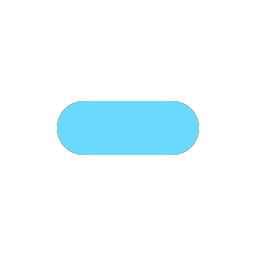
enum Geom.LineEndCap
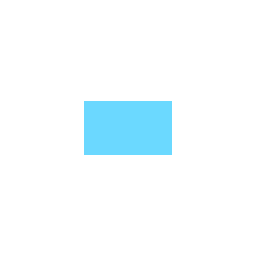
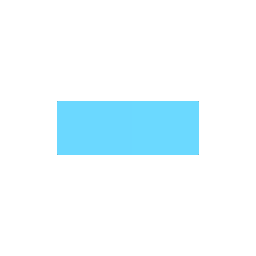
- Geom.CAP_NONEGeom.LineEndCap.None = 0
- Cut off exactly at an endpoint.
- Geom.CAP_SQUAREGeom.LineEndCap.Square = 1
- Extend by half the thickness at an endpoint.
- Geom.CAP_ROUNDGeom.LineEndCap.Round = 2
- Extend by half the thickness, rounded.
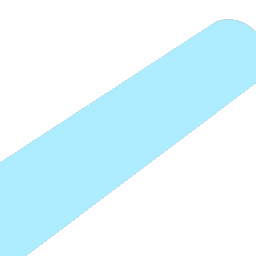
enum Geom.LineGeometry
- Geom.LINE_BILLBOARDGeom.LineGeometry.Billboard = 1
- A flat quad that turns to face the camera.
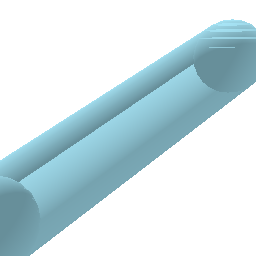
- Geom.LINE_VOLUMETRICGeom.LineGeometry.Volumetric3D = 2
- Real tube geometry, with volume.
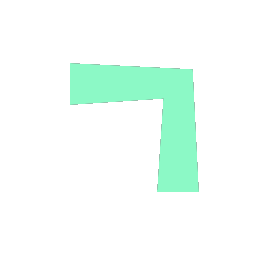
enum Geom.PolylineJoin
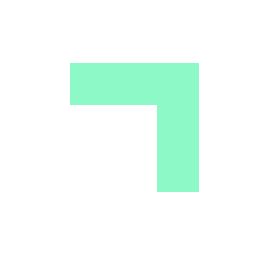
- Geom.JOIN_SIMPLEGeom.PolylineJoin.Simple = 0
- The two segments meet at plain width, so the outside of the corner pinches in.
- Geom.JOIN_MITERGeom.PolylineJoin.Miter = 1
- The outside edges extend until they meet, clamped on sharp turns.
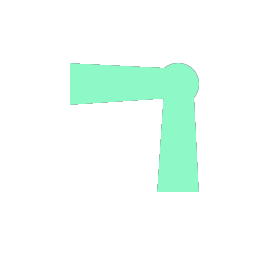
- Geom.JOIN_ROUNDGeom.PolylineJoin.Round = 2
- A disc over each corner.
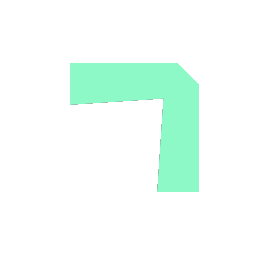
- Geom.JOIN_BEVELGeom.PolylineJoin.Bevel = 3
- The outside of the corner cut off square.
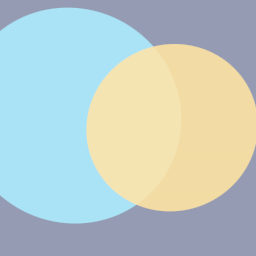
enum Geom.BlendMode
- Geom.BLEND_OPAQUEGeom.BlendMode.Opaque = 0
- Sorts by position. Hard edges: no anti-aliasing, and alpha is ignored.
- Geom.BLEND_TRANSPARENTGeom.BlendMode.Transparent = 1
- Standard alpha blending. The default.
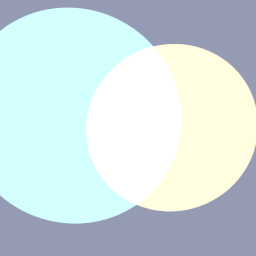
- Geom.BLEND_ADDITIVEGeom.BlendMode.Additive = 2
- Adds this color to what is behind.
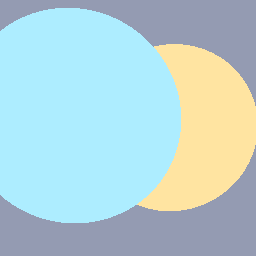
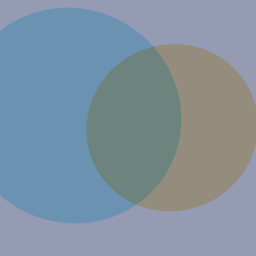
- Geom.BLEND_MULTIPLYGeom.BlendMode.Multiply = 3
- Multiplies what is behind by this color.
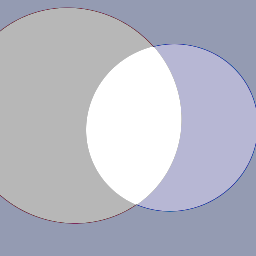
- Geom.BLEND_SUBTRACTGeom.BlendMode.Subtract = 4
- Subtracts this color from the background.
- Geom.BLEND_TRANSPARENT_DEPTHGeom.BlendMode.TransparentDepth = 5
- Transparent, but writes depth, so shapes with alpha 1 sort by position with anti-aliased edges. A translucent color behaves like Transparent.
enum Geom.DashSpace
- Geom.DASH_WORLDGeom.DashSpace.World = 0
- Dash size and spacing are lengths in world units.
- Geom.DASH_RELATIVEGeom.DashSpace.Relative = 1
- Dash size and spacing are multiples of the thickness.
- Geom.DASH_FIXED_COUNTGeom.DashSpace.FixedCount = 2
- Dash size is a number of dashes. Spacing is the gap relative to the dash.
enum Geom.DashSnap
- Geom.SNAP_OFFGeom.DashSnap.Off = 0
- The pattern is cut wherever the shape ends.
- Geom.SNAP_TILINGGeom.DashSnap.Tiling = 1
- A whole number of dashes around the shape, so the pattern has no seam.
- Geom.SNAP_END_TO_ENDGeom.DashSnap.EndToEnd = 2
- A whole dash at each end of a line or arc.



enum Geom.DashType
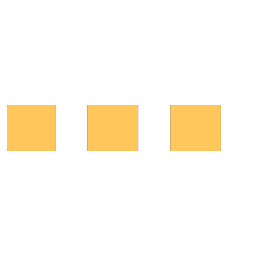
- Geom.DASH_BASICGeom.DashType.Basic = 0
- Square dash ends.
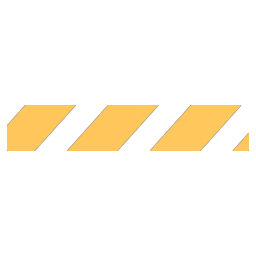
- Geom.DASH_ANGLEDGeom.DashType.Angled = 1
- Dash ends sheared into a parallelogram by
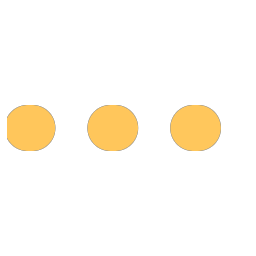
dash_modifieronGeomDrawormodifieron GeomDash. At 0 it looks likeDASH_BASIC. - Geom.DASH_ROUNDEDGeom.DashType.Rounded = 2
- Rounded dash ends.
Property descriptions
Color and blending
Sizes and units
ThicknessSpaceThicknessSpace radius_spaceRadiusSpace
How radii are measured.
ThicknessSpaceThicknessSpace size_spaceSizeSpace
How rectangle and texture sizes are measured.
floatfloat thicknessThickness
Line and outline thickness, in thickness_space.
ThicknessSpaceThicknessSpace thickness_spaceThicknessSpace
How thickness is measured.
Line style
boolbool arc_end_cap_roundArcEndCapRound
Round off an arc's ends.
boolbool borderBorder
Draw rectangles, regular polygons, triangles and quads as outlines of thickness instead of fills.
Discs and polygons ignore it. Their outlines are ring, arc and a closed polyline.
LineEndCapLineEndCap line_end_capLineEndCap
How a line's ends are finished.
LineGeometryLineGeometry line_geometryLineGeometry
Whether 3D lines are flat billboards or solid tubes.
intint line_sidesLineSides
Segments around a volumetric line, 3 to 64.
PolylineJoinPolylineJoin polyline_joinPolylineJoin
How a polyline's corners are drawn.
Rectangle and polygon style
Vector4Vector4 corner_radiiCornerRadii
Rectangle corner radii as fractions of half the shorter side. On the canvas x is top-left and the rest follow clockwise; in 3D x is bottom-left and the rest follow counterclockwise. set_corner_roundness sets all four at once.
floatfloat polygon_anglePolygonAngle
Rotation of regular polygons, in radians. At 0 an edge's midpoint points along +X, not a vertex.
boolbool polygon_convex_onlyPolygonConvexOnly
Skip the work a concave polygon needs. Cheaper, but a concave polygon then draws wrong.
boolbool rect_pivot_cornerRectPivotCorner
Position rectangles by the top-left corner on the canvas, or bottom-left in 3D, instead of the center.
floatfloat roundnessRoundness
Regular polygon corner rounding, 0 sharp to 1 circular.
3D appearance
boolbool billboardBillboard
Always face the camera.
boolbool cone_capConeCap
Close a cone's base with a disc. Off leaves it open underneath.
intint primitive_detailPrimitiveDetail
Segments around a sphere, cone or torus. More is rounder and costs more vertices.
floatfloat shadingShading
How strongly solids are shaded, 0 flat to 1 full.
Text style
intint font_sizeFontSize
Text size, in points.
Dashes
floatfloat dash_modifierDashModifier
Shear for angled dashes, -1 to 1. At the default of 0, Angled looks like Basic.
floatfloat dash_offsetDashOffset
Shifts the pattern along the shape, as a fraction of one dash and gap.
floatfloat dash_sizeDashSize
Length of one dash, measured per dash_space.
floatfloat dash_spacingDashSpacing
Gap between dashes, measured like dash_size. Equal size and spacing give equal dash and gap in every space.
boolbool dashedDashed
Dash lines and the outlines of rings, arcs, rectangles and regular polygons.
Transforms
Transform3DTransform3D transformTransform
Applied to 3D positions before drawing.
Transform2DTransform2D transform_2dTransform2D
Applied to 2D positions before drawing.
Method descriptions
Each group opens with the code that drew the picture beside it, where vp is the picture's size, c is its center, r is 30% of its height.
Frame
voidvoid begin_frame()BeginFrame()
Called by the engine at the start of every frame. Not for scripts.
voidvoid flush_frame()FlushFrame()
Called by the engine at the end of every frame. Not for scripts.
voidvoid request_editor_redraw()RequestEditorRedraw()
Asks the editor to render the next frame. Call it every frame from a tool script whose drawing animates. Does nothing in a running game.
Counters
intint draw_calls_3d()DrawCalls3D()
Draw calls the 3D side will issue this frame: one per run of consecutive shapes sharing a program.
intint queued_3d()Queued3D()
Number of 3D shapes queued this frame.
intint draw_calls_2d()DrawCalls2D()
Draw calls the 2D side will issue this frame, text included.
intint queued_2d()Queued2D()
Number of 2D shapes queued this frame.
Style helpers
GeomDraw.set_fill_angular(EMBER, PINK)
GeomDraw.transform_2d = Transform2D(TAU * 0.75, c)
GeomDraw.disc_2d(Vector2.ZERO, r)Geom.Draw.SetFillAngular(EMBER, PINK);
Geom.Draw.Transform2D = new Transform2D(Mathf.Tau * 0.75f, c);
Geom.Draw.Disc2D(Vector2.Zero, r);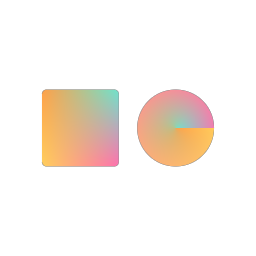
GeomDraw.set_fill_corners(EMBER, TEAL, PINK, AMBER)
GeomDraw.set_corner_roundness(0.12)
GeomDraw.rect_2d(c - Vector2(r * 0.62, 0.0), Vector2(r * 1.0, r * 1.0))
GeomDraw.disc_2d(c + Vector2(r * 0.62, 0.0), r * 0.5)Geom.Draw.SetFillCorners(EMBER, TEAL, PINK, AMBER);
Geom.Draw.SetCornerRoundness(0.12f);
Geom.Draw.Rect2D(c - new Vector2(r * 0.62f, 0.0f), new Vector2(r * 1.0f, r * 1.0f));
Geom.Draw.Disc2D(c + new Vector2(r * 0.62f, 0.0f), r * 0.5f);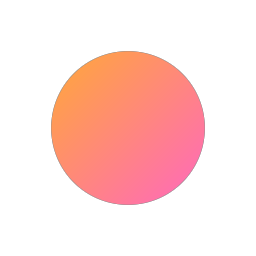
GeomDraw.set_fill_linear(EMBER, PINK, 45.0)
GeomDraw.disc_2d(c, r)Geom.Draw.SetFillLinear(EMBER, PINK, 45.0f);
Geom.Draw.Disc2D(c, r);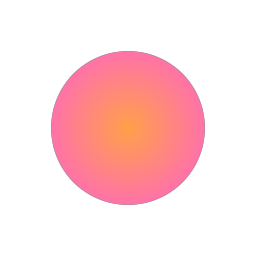
GeomDraw.set_fill_radial(EMBER, PINK)
GeomDraw.disc_2d(c, r)Geom.Draw.SetFillRadial(EMBER, PINK);
Geom.Draw.Disc2D(c, r);voidvoid draw_into(viewport: Viewport)DrawInto(Viewport viewport)
Draws the shapes that follow into viewport instead of the main window, or the edited scene in the editor. Needed for a SubViewport.
Draw state: the resets clear it, so set it after the reset each frame.
voidvoid draw_into_default()DrawIntoDefault()
Draws the shapes that follow into the default viewport again.
voidvoid pop_state()PopState()
Restores the state saved by the matching push_state. With nothing pushed, reports an error and does nothing.
voidvoid push_state()PushState()
Saves the draw state, to be restored by pop_state. Bracket a change so a border or dashed left on does not reach whatever draws next:
GeomDraw.push_state()
GeomDraw.border = true
GeomDraw.rect_2d(here, size)
GeomDraw.pop_state()Geom.Draw.PushState();
Geom.Draw.Border = true;
Geom.Draw.Rect2D(here, size);
Geom.Draw.PopState();The transform is saved too. Saved states are a stack.
voidvoid reset_all_draw_states()ResetAllDrawStates()
Resets styling and transforms.
voidvoid reset_style()ResetStyle()
Resets styling but keeps the transforms.
voidvoid reset_transform()ResetTransform()
Resets both transforms to identity.
voidvoid set_corner_roundness(roundness: float)SetCornerRoundness(float roundness)
Sets all four rectangle corner radii, 0 square to 1 fully rounded.
voidvoid set_fill(fill: Resource)SetFill(Resource fill)
Applies a fill resource to the draw state, or clears back to a flat color when given nothing. Equivalent to the matching set_fill_* call.
A fill the next shape cannot draw falls back to color: lines, triangles and quads take only linear and per-corner fills.
voidvoid set_fill_angular(start: Color, end: Color)SetFillAngular(Color start, Color end)
A gradient around a shape's sweep.
voidvoid set_fill_corners(a: Color, b: Color, c: Color, d: Color)SetFillCorners(Color a, Color b, Color c, Color d)
A color at each of a shape's four corners.
On the canvas a is top-left and b, c, d follow clockwise; in 3D a is bottom-left and they follow counterclockwise. On a quad they are its four points in order. On a disc or polygon the axes are sweep and radius, so a and b are the inner edge.
voidvoid set_fill_linear(start: Color, end: Color, angle_degrees: float)SetFillLinear(Color start, Color end, float angleDegrees)
A gradient along an axis, angle_degrees counterclockwise from the shape's local +X. Steps of about 1.4 degrees.
voidvoid set_fill_radial(inner: Color, outer: Color)SetFillRadial(Color inner, Color outer)
A gradient from the center of a shape to its edge.
voidvoid set_fill_solid(color: Color)SetFillSolid(Color color)
One flat color. Also clears any gradient.
Lines (2D)
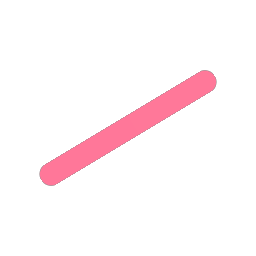
GeomDraw.line_end_cap = Geom.CAP_ROUND
GeomDraw.thickness = vp.y * 0.09
GeomDraw.line_2d_colored(c + Vector2(-r, r * 0.6), c + Vector2(r, -r * 0.6), PINK)
Geom.Draw.LineEndCap = Geom.LineEndCap.Round;
Geom.Draw.Thickness = vp.Y * 0.09f;
Geom.Draw.Line2DColored(c + new Vector2(-r, r * 0.6f), c + new Vector2(r, -r * 0.6f), PINK);voidvoid line_2d(from: Vector2, to: Vector2)Line2D(Vector2 from, Vector2 to)
Line between two points on the canvas.
voidvoid line_2d_colored(from: Vector2, to: Vector2, color: Color)Line2DColored(Vector2 from, Vector2 to, Color color)
Line on the canvas in an explicit color.
voidvoid line_2d_gradient(from: Vector2, to: Vector2, color_a: Color, color_b: Color)Line2DGradient(Vector2 from, Vector2 to, Color colorA, Color colorB)
Line on the canvas with a gradient from color_a to color_b.
voidvoid lines_2d(from: PackedVector2Array, to: PackedVector2Array, colors: PackedColorArray)Lines2D(Vector2[] from, Vector2[] to, Color[] colors)
Batch line segments on the canvas.
Discs, rings, pies and arcs (2D)
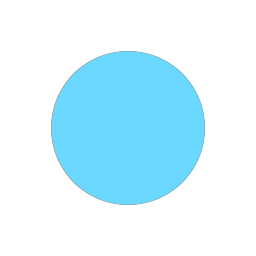
GeomDraw.disc_2d_colored(c, r, EMBER)Geom.Draw.Disc2DColored(c, r, EMBER);voidvoid arc_2d(center: Vector2, radius: float, angle_start: float, angle_end: float)Arc2D(Vector2 center, float radius, float angleStart, float angleEnd)
Arc of a ring on the canvas. Angles in radians, sweeping forward from the start.
voidvoid arc_2d_colored(center: Vector2, radius: float, angle_start: float, angle_end: float, color: Color)Arc2DColored(Vector2 center, float radius, float angleStart, float angleEnd, Color color)
Arc on the canvas in an explicit color.
voidvoid arcs_2d(centers: PackedVector2Array, radii: PackedFloat32Array, angle_starts: PackedFloat32Array, angle_ends: PackedFloat32Array, colors: PackedColorArray)Arcs2D(Vector2[] centers, float[] radii, float[] angleStarts, float[] angleEnds, Color[] colors)
Batch arcs on the canvas.
voidvoid disc_2d(center: Vector2, radius: float)Disc2D(Vector2 center, float radius)
Filled circle on the canvas.
voidvoid disc_2d_colored(center: Vector2, radius: float, color: Color)Disc2DColored(Vector2 center, float radius, Color color)
Filled circle on the canvas in an explicit color.
voidvoid discs_2d(centers: PackedVector2Array, radii: PackedFloat32Array, colors: PackedColorArray)Discs2D(Vector2[] centers, float[] radii, Color[] colors)
Batch filled circles on the canvas.
voidvoid pie_2d(center: Vector2, radius: float, angle_start: float, angle_end: float)Pie2D(Vector2 center, float radius, float angleStart, float angleEnd)
Filled sector on the canvas. Angles in radians, sweeping forward from the start.
voidvoid pie_2d_colored(center: Vector2, radius: float, angle_start: float, angle_end: float, color: Color)Pie2DColored(Vector2 center, float radius, float angleStart, float angleEnd, Color color)
Filled sector on the canvas in an explicit color.
voidvoid pies_2d(centers: PackedVector2Array, radii: PackedFloat32Array, angle_starts: PackedFloat32Array, angle_ends: PackedFloat32Array, colors: PackedColorArray)Pies2D(Vector2[] centers, float[] radii, float[] angleStarts, float[] angleEnds, Color[] colors)
Batch filled sectors on the canvas. Angles in radians.
voidvoid ring_2d(center: Vector2, radius: float)Ring2D(Vector2 center, float radius)
Circle outline on the canvas.
voidvoid ring_2d_colored(center: Vector2, radius: float, color: Color)Ring2DColored(Vector2 center, float radius, Color color)
Circle outline on the canvas in an explicit color.
voidvoid rings_2d(centers: PackedVector2Array, radii: PackedFloat32Array, colors: PackedColorArray)Rings2D(Vector2[] centers, float[] radii, Color[] colors)
Batch circle outlines on the canvas.
Rectangles (2D)
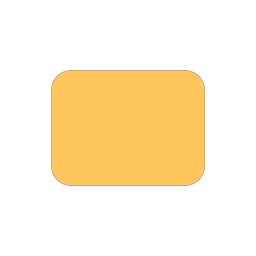
GeomDraw.set_corner_roundness(0.35)
GeomDraw.rect_2d_colored(c, Vector2(r * 2.0, r * 1.5), AMBER)
GeomDraw.set_corner_roundness(0.0)Geom.Draw.SetCornerRoundness(0.35f);
Geom.Draw.Rect2DColored(c, new Vector2(r * 2.0f, r * 1.5f), AMBER);
Geom.Draw.SetCornerRoundness(0.0f);voidvoid rect_2d(center: Vector2, size: Vector2)Rect2D(Vector2 center, Vector2 size)
Rectangle on the canvas. Honors corner_radii, rect_pivot_corner and border.
voidvoid rect_2d_colored(center: Vector2, size: Vector2, color: Color)Rect2DColored(Vector2 center, Vector2 size, Color color)
Rectangle on the canvas in an explicit color.
voidvoid rects_2d(centers: PackedVector2Array, sizes: PackedVector2Array, colors: PackedColorArray)Rects2D(Vector2[] centers, Vector2[] sizes, Color[] colors)
Batch rectangles on the canvas.
Regular polygons (2D)
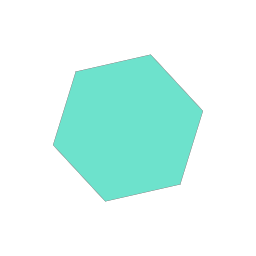
GeomDraw.polygon_angle = 0.3
GeomDraw.regular_polygon_2d_colored(c, r, 6, TEAL)
Geom.Draw.PolygonAngle = 0.3f;
Geom.Draw.RegularPolygon2DColored(c, r, 6, TEAL);voidvoid regular_polygon_2d(center: Vector2, radius: float, sides: int)RegularPolygon2D(Vector2 center, float radius, int sides)
Regular polygon on the canvas. radius is center to vertex. Honors border.
voidvoid regular_polygon_2d_colored(center: Vector2, radius: float, sides: int, color: Color)RegularPolygon2DColored(Vector2 center, float radius, int sides, Color color)
Regular polygon on the canvas in an explicit color.
voidvoid regular_polygons_2d(centers: PackedVector2Array, radii: PackedFloat32Array, sides: PackedInt32Array, colors: PackedColorArray)RegularPolygons2D(Vector2[] centers, float[] radii, int[] sides, Color[] colors)
Batch regular polygons on the canvas.
Triangles and quads (2D)
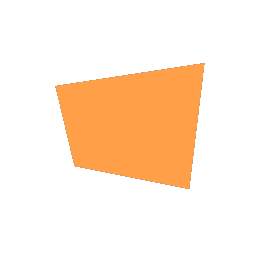
# A quad's corners go where you put them.
GeomDraw.quad_2d_colored(c + Vector2(-r * 0.95, -r * 0.55),
	c + Vector2(r, -r * 0.85), c + Vector2(r * 0.8, r * 0.8),
	c + Vector2(-r * 0.7, r * 0.5), EMBER)
// A quad's corners go where you put them.
Geom.Draw.Quad2DColored(c + new Vector2(-r * 0.95f, -r * 0.55f),
c + new Vector2(r, -r * 0.85f), c + new Vector2(r * 0.8f, r * 0.8f),
c + new Vector2(-r * 0.7f, r * 0.5f), EMBER);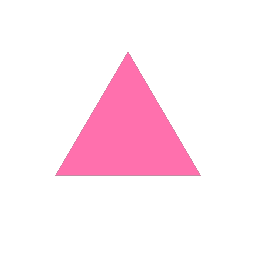
GeomDraw.triangle_2d_colored(c + Vector2(0, -r), c + Vector2(-r * 0.95, r * 0.62),
c + Vector2(r * 0.95, r * 0.62), PINK)Geom.Draw.Triangle2DColored(c + new Vector2(0, -r), c + new Vector2(-r * 0.95f, r * 0.62f),
c + new Vector2(r * 0.95f, r * 0.62f), PINK);voidvoid quad_2d(a: Vector2, b: Vector2, c: Vector2, d: Vector2)Quad2D(Vector2 a, Vector2 b, Vector2 c, Vector2 d)
Quad on the canvas, through four points in order.
voidvoid quad_2d_colored(a: Vector2, b: Vector2, c: Vector2, d: Vector2, color: Color)Quad2DColored(Vector2 a, Vector2 b, Vector2 c, Vector2 d, Color color)
Quad on the canvas in an explicit color.
voidvoid quads_2d(points: PackedVector2Array, colors: PackedColorArray)Quads2D(Vector2[] points, Color[] colors)
Many quads on the canvas, four points each, in order.
voidvoid triangle_2d(a: Vector2, b: Vector2, c: Vector2)Triangle2D(Vector2 a, Vector2 b, Vector2 c)
Triangle on the canvas.
voidvoid triangle_2d_colored(a: Vector2, b: Vector2, c: Vector2, color: Color)Triangle2DColored(Vector2 a, Vector2 b, Vector2 c, Color color)
Triangle on the canvas in an explicit color.
voidvoid triangles_2d(points: PackedVector2Array, colors: PackedColorArray)Triangles2D(Vector2[] points, Color[] colors)
Many triangles on the canvas, three points each.
Lines (3D)
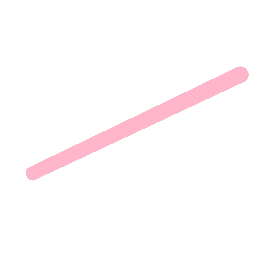
GeomDraw.transform = Transform3D.IDENTITY
GeomDraw.line_end_cap = Geom.CAP_ROUND
GeomDraw.thickness = 0.16
GeomDraw.line_colored(Vector3(-1.1, -0.6, 0), Vector3(1.1, 0.6, 0), PINK)
Geom.Draw.Transform = Transform3D.Identity;
Geom.Draw.LineEndCap = Geom.LineEndCap.Round;
Geom.Draw.Thickness = 0.16f;
Geom.Draw.LineColored(new Vector3(-1.1f, -0.6f, 0), new Vector3(1.1f, 0.6f, 0), PINK);voidvoid line_colored(from: Vector3, to: Vector3, color: Color)LineColored(Vector3 from, Vector3 to, Color color)
Line between two points in an explicit color.
voidvoid line_gradient(from: Vector3, to: Vector3, color_a: Color, color_b: Color)LineGradient(Vector3 from, Vector3 to, Color colorA, Color colorB)
Line with a gradient from color_a at the start to color_b at the end.
voidvoid lines(from: PackedVector3Array, to: PackedVector3Array, colors: PackedColorArray)Lines(Vector3[] from, Vector3[] to, Color[] colors)
Batch line segments in 3D.
Discs, rings, pies and arcs (3D)
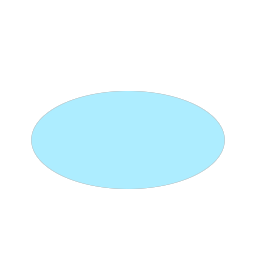
GeomDraw.disc_colored(Vector3.ZERO, 1.0, EMBER)Geom.Draw.DiscColored(Vector3.Zero, 1.0f, EMBER);voidvoid arc(center: Vector3, radius: float, angle_start: float, angle_end: float)Arc(Vector3 center, float radius, float angleStart, float angleEnd)
Arc of a ring. Angles in radians, sweeping forward from the start. arc_end_cap_round rounds the ends.
voidvoid arc_colored(center: Vector3, radius: float, angle_start: float, angle_end: float, color: Color)ArcColored(Vector3 center, float radius, float angleStart, float angleEnd, Color color)
Arc in an explicit color.
voidvoid arcs(centers: PackedVector3Array, radii: PackedFloat32Array, angle_starts: PackedFloat32Array, angle_ends: PackedFloat32Array, colors: PackedColorArray)Arcs(Vector3[] centers, float[] radii, float[] angleStarts, float[] angleEnds, Color[] colors)
Batch arcs in 3D.
voidvoid disc_colored(center: Vector3, radius: float, color: Color)DiscColored(Vector3 center, float radius, Color color)
Filled circle in an explicit color.
voidvoid discs(centers: PackedVector3Array, radii: PackedFloat32Array, colors: PackedColorArray)Discs(Vector3[] centers, float[] radii, Color[] colors)
Batch filled circles in 3D.
voidvoid pie(center: Vector3, radius: float, angle_start: float, angle_end: float)Pie(Vector3 center, float radius, float angleStart, float angleEnd)
Filled sector. Angles in radians. The sweep runs forward from the start and wraps, so 350 to 10 degrees is a 20 degree sweep.
voidvoid pie_colored(center: Vector3, radius: float, angle_start: float, angle_end: float, color: Color)PieColored(Vector3 center, float radius, float angleStart, float angleEnd, Color color)
Filled sector in an explicit color.
voidvoid pies(centers: PackedVector3Array, radii: PackedFloat32Array, angle_starts: PackedFloat32Array, angle_ends: PackedFloat32Array, colors: PackedColorArray)Pies(Vector3[] centers, float[] radii, float[] angleStarts, float[] angleEnds, Color[] colors)
Batch filled sectors in 3D. Angles in radians.
voidvoid ring(center: Vector3, radius: float)Ring(Vector3 center, float radius)
Circle outline. radius is to the middle of the wall.
voidvoid ring_colored(center: Vector3, radius: float, color: Color)RingColored(Vector3 center, float radius, Color color)
Circle outline in an explicit color.
voidvoid rings(centers: PackedVector3Array, radii: PackedFloat32Array, colors: PackedColorArray)Rings(Vector3[] centers, float[] radii, Color[] colors)
Batch circle outlines in 3D.
Rectangles (3D)
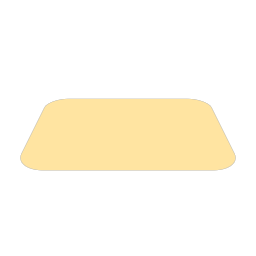
GeomDraw.set_corner_roundness(0.35)
GeomDraw.rect_colored(Vector3.ZERO, Vector2(2.0, 1.5), AMBER)
GeomDraw.set_corner_roundness(0.0)Geom.Draw.SetCornerRoundness(0.35f);
Geom.Draw.RectColored(Vector3.Zero, new Vector2(2.0f, 1.5f), AMBER);
Geom.Draw.SetCornerRoundness(0.0f);voidvoid rect(center: Vector3, size: Vector2)Rect(Vector3 center, Vector2 size)
Rectangle. Honors corner_radii, rect_pivot_corner and border.
voidvoid rect_colored(center: Vector3, size: Vector2, color: Color)RectColored(Vector3 center, Vector2 size, Color color)
Rectangle in an explicit color.
voidvoid rects(centers: PackedVector3Array, sizes: PackedVector2Array, colors: PackedColorArray)Rects(Vector3[] centers, Vector2[] sizes, Color[] colors)
Batch rectangles in 3D.
Regular polygons (3D)
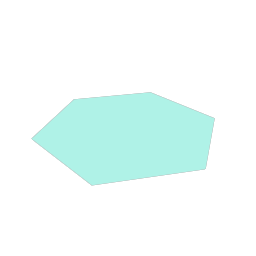
GeomDraw.polygon_angle = 0.3
GeomDraw.regular_polygon_colored(Vector3.ZERO, 1.0, 6, TEAL)
Geom.Draw.PolygonAngle = 0.3f;
Geom.Draw.RegularPolygonColored(Vector3.Zero, 1.0f, 6, TEAL);voidvoid regular_polygon(center: Vector3, radius: float, sides: int)RegularPolygon(Vector3 center, float radius, int sides)
Regular polygon. radius is center to vertex. Honors border.
voidvoid regular_polygon_colored(center: Vector3, radius: float, sides: int, color: Color)RegularPolygonColored(Vector3 center, float radius, int sides, Color color)
Regular polygon in an explicit color.
voidvoid regular_polygons(centers: PackedVector3Array, radii: PackedFloat32Array, sides: PackedInt32Array, colors: PackedColorArray)RegularPolygons(Vector3[] centers, float[] radii, int[] sides, Color[] colors)
Batch regular polygons in 3D.
Triangles and quads (3D)
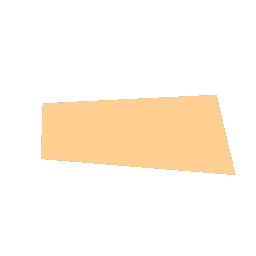
GeomDraw.quad_colored(Vector3(-1.05, -0.62, 0), Vector3(1.15, -0.88, 0),
Vector3(0.92, 0.82, 0), Vector3(-0.8, 0.58, 0), EMBER)Geom.Draw.QuadColored(new Vector3(-1.05f, -0.62f, 0), new Vector3(1.15f, -0.88f, 0),
new Vector3(0.92f, 0.82f, 0), new Vector3(-0.8f, 0.58f, 0), EMBER);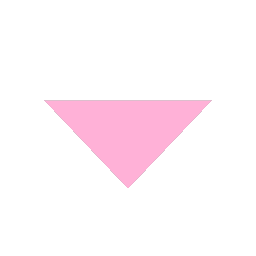
GeomDraw.triangle_colored(Vector3(0, 1.0, 0), Vector3(-1.05, -0.7, 0),
Vector3(1.05, -0.7, 0), PINK)Geom.Draw.TriangleColored(new Vector3(0, 1.0f, 0), new Vector3(-1.05f, -0.7f, 0),
new Vector3(1.05f, -0.7f, 0), PINK);voidvoid quad(a: Vector3, b: Vector3, c: Vector3, d: Vector3)Quad(Vector3 a, Vector3 b, Vector3 c, Vector3 d)
Quad through four points, in order.
voidvoid quad_colored(a: Vector3, b: Vector3, c: Vector3, d: Vector3, color: Color)QuadColored(Vector3 a, Vector3 b, Vector3 c, Vector3 d, Color color)
Quad in an explicit color.
voidvoid quads(points: PackedVector3Array, colors: PackedColorArray)Quads(Vector3[] points, Color[] colors)
Many quads in 3D, four points each, in order.
voidvoid triangle(a: Vector3, b: Vector3, c: Vector3)Triangle(Vector3 a, Vector3 b, Vector3 c)
Triangle in 3D space.
voidvoid triangle_colored(a: Vector3, b: Vector3, c: Vector3, color: Color)TriangleColored(Vector3 a, Vector3 b, Vector3 c, Color color)
Triangle in an explicit color.
voidvoid triangles(points: PackedVector3Array, colors: PackedColorArray)Triangles(Vector3[] points, Color[] colors)
Many triangles in 3D, three points each.
Solids (3D)
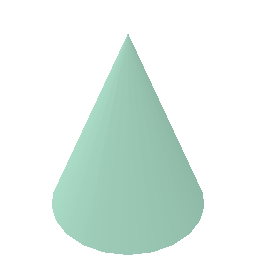
GeomDraw.transform = Transform3D.IDENTITY
GeomDraw.blend_mode = Geom.BLEND_OPAQUE
GeomDraw.cone_colored(Vector3(0, -0.9, 0), 0.9, 1.9, TEAL)
Geom.Draw.Transform = Transform3D.Identity;
Geom.Draw.BlendMode = Geom.BlendMode.Opaque;
Geom.Draw.ConeColored(new Vector3(0, -0.9f, 0), 0.9f, 1.9f, TEAL);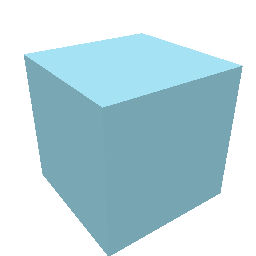
# Turned so three faces are visible.
GeomDraw.transform = Transform3D(Basis(Vector3.UP, 0.62), Vector3.ZERO)
GeomDraw.blend_mode = Geom.BLEND_OPAQUE
GeomDraw.cuboid_colored(Vector3.ZERO, Vector3(1.5, 1.5, 1.5), EMBER)
// Turned so three faces are visible.
Geom.Draw.Transform = new Transform3D(new Basis(Vector3.Up, 0.62f), Vector3.Zero);
Geom.Draw.BlendMode = Geom.BlendMode.Opaque;
Geom.Draw.CuboidColored(Vector3.Zero, new Vector3(1.5f, 1.5f, 1.5f), EMBER);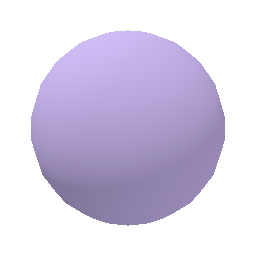
GeomDraw.transform = Transform3D.IDENTITY
GeomDraw.blend_mode = Geom.BLEND_OPAQUE
GeomDraw.sphere_colored(Vector3.ZERO, 1.0, PINK)
Geom.Draw.Transform = Transform3D.Identity;
Geom.Draw.BlendMode = Geom.BlendMode.Opaque;
Geom.Draw.SphereColored(Vector3.Zero, 1.0f, PINK);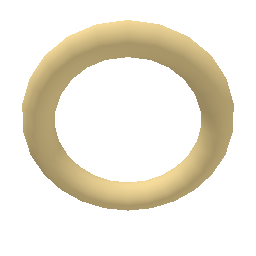
GeomDraw.transform = Transform3D.IDENTITY
GeomDraw.blend_mode = Geom.BLEND_OPAQUE
GeomDraw.torus_colored(Vector3.ZERO, 0.95, 0.34, AMBER)
Geom.Draw.Transform = Transform3D.Identity;
Geom.Draw.BlendMode = Geom.BlendMode.Opaque;
Geom.Draw.TorusColored(Vector3.Zero, 0.95f, 0.34f, AMBER);voidvoid cone(base: Vector3, radius: float, length: float)Cone(Vector3 @base, float radius, float length)
Solid cone, base centered on base, tip along local +Y. Rotate it with transform.
voidvoid cone_colored(base: Vector3, radius: float, length: float, color: Color)ConeColored(Vector3 @base, float radius, float length, Color color)
Solid cone in an explicit color.
voidvoid cube(center: Vector3, size: float)Cube(Vector3 center, float size)
Solid box, equal on every axis.
voidvoid cube_colored(center: Vector3, size: float, color: Color)CubeColored(Vector3 center, float size, Color color)
Solid cube in an explicit color.
voidvoid cuboid(center: Vector3, size: Vector3)Cuboid(Vector3 center, Vector3 size)
Solid box with a size per axis.
voidvoid cuboid_colored(center: Vector3, size: Vector3, color: Color)CuboidColored(Vector3 center, Vector3 size, Color color)
Solid box in an explicit color.
voidvoid sphere_colored(center: Vector3, radius: float, color: Color)SphereColored(Vector3 center, float radius, Color color)
Solid sphere in an explicit color.
voidvoid torus(center: Vector3, radius: float, thickness: float)Torus(Vector3 center, float radius, float thickness)
Solid torus about local Z. radius is to the center of the tube, thickness its diameter.
voidvoid torus_colored(center: Vector3, radius: float, thickness: float, color: Color)TorusColored(Vector3 center, float radius, float thickness, Color color)
Solid torus in an explicit color.
Polylines
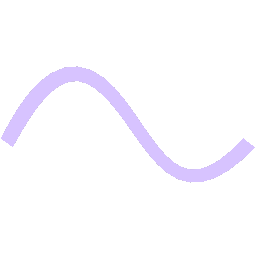
GeomDraw.transform = Transform3D.IDENTITY
var path := GeomPolylinePath.new()
GeomDraw.polyline_join = Geom.JOIN_ROUND
GeomDraw.thickness = 0.15
GeomDraw.color = PINK
for i in 25:
	var u := i / 24.0
	path.add_point(Vector3(-1.2 + u * 2.4, sin(u * TAU) * 0.6, cos(u * TAU) * 0.3))
GeomDraw.polyline(path, false)
Geom.Draw.Transform = Transform3D.Identity;
var path = Geom.PolylinePath.New();
Geom.Draw.PolylineJoin = Geom.PolylineJoin.Round;
Geom.Draw.Thickness = 0.15f;
Geom.Draw.Color = PINK;
for (int i = 0; i < 25; i++)
{
var u = i / 24.0f;
path.AddPoint(new Vector3(-1.2f + u * 2.4f, Mathf.Sin(u * Mathf.Tau) * 0.6f, Mathf.Cos(u * Mathf.Tau) * 0.3f));
}
Geom.Draw.Polyline(path, false);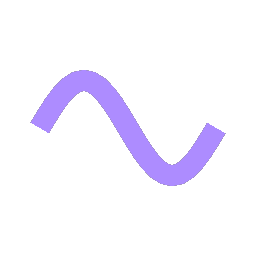
var path := GeomPolylinePath.new()
GeomDraw.polyline_join = Geom.JOIN_ROUND
GeomDraw.thickness = vp.y * 0.085
GeomDraw.color = PINK
for i in 25:
	var u := i / 24.0
	path.add_point_2d(c + Vector2(-r * 1.15 + u * r * 2.3, -sin(u * TAU) * r * 0.62))
GeomDraw.polyline_2d(path, false)
var path = Geom.PolylinePath.New();
Geom.Draw.PolylineJoin = Geom.PolylineJoin.Round;
Geom.Draw.Thickness = vp.Y * 0.085f;
Geom.Draw.Color = PINK;
for (int i = 0; i < 25; i++)
{
var u = i / 24.0f;
path.AddPoint2D(c + new Vector2(-r * 1.15f + u * r * 2.3f, -Mathf.Sin(u * Mathf.Tau) * r * 0.62f));
}
Geom.Draw.Polyline2D(path, false);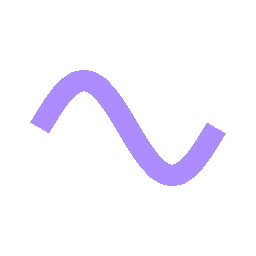
var path := GeomPolylinePath.new()
GeomDraw.polyline_join = Geom.JOIN_ROUND
GeomDraw.thickness = vp.y * 0.085
GeomDraw.color = PINK
for i in 25:
	var u := i / 24.0
	path.add_point_2d(c + Vector2(-r * 1.15 + u * r * 2.3, -sin(u * TAU) * r * 0.62))
GeomDraw.polyline_2d(path, false)
var path = Geom.PolylinePath.New();
Geom.Draw.PolylineJoin = Geom.PolylineJoin.Round;
Geom.Draw.Thickness = vp.Y * 0.085f;
Geom.Draw.Color = PINK;
for (int i = 0; i < 25; i++)
{
var u = i / 24.0f;
path.AddPoint2D(c + new Vector2(-r * 1.15f + u * r * 2.3f, -Mathf.Sin(u * Mathf.Tau) * r * 0.62f));
}
Geom.Draw.Polyline2D(path, false);voidvoid polyline(path: GeomPolylinePath, closed: bool)Polyline(GodotObject path, bool closed)
A path in 3D with a color and thickness per point, which multiply the draw state's.
voidvoid polyline_points(points: PackedVector3Array, closed: bool)PolylinePoints(Vector3[] points, bool closed)
A path in 3D from an array of points, at the draw state's color and thickness. Use polyline for a color or thickness per point.
voidvoid polylines(points: PackedVector3Array, counts: PackedInt32Array, colors: PackedColorArray, closed: bool)Polylines(Vector3[] points, int[] counts, Color[] colors, bool closed)
Batch many paths in 3D. See polylines_2d.
voidvoid polyline_2d(path: GeomPolylinePath, closed: bool)Polyline2D(GodotObject path, bool closed)
A path on the canvas. See polyline.
voidvoid polyline_points_2d(points: PackedVector2Array, closed: bool)PolylinePoints2D(Vector2[] points, bool closed)
A path on the canvas from an array of points.
voidvoid polylines_2d(points: PackedVector2Array, counts: PackedInt32Array, colors: PackedColorArray, closed: bool)Polylines2D(Vector2[] points, int[] counts, Color[] colors, bool closed)
Batch many paths on the canvas. counts says how many points each path takes from points: twelve points with counts [4, 4, 4] are three paths. One color per path; closed applies to all.
Arbitrary polygons
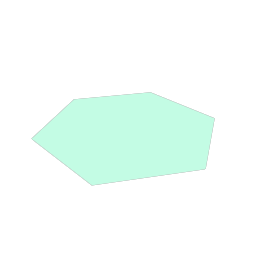
GeomDraw.polygon_colored(PackedVector3Array([
	Vector3(0, 1.0, 0), Vector3(0.34, 0.3, 0), Vector3(1.0, 0.2, 0),
	Vector3(0.45, -0.35, 0), Vector3(0.6, -1.0, 0), Vector3(0, -0.52, 0),
	Vector3(-0.6, -1.0, 0), Vector3(-0.45, -0.35, 0),
Vector3(-1.0, 0.2, 0), Vector3(-0.34, 0.3, 0)]), AMBER)Geom.Draw.PolygonColored(new Vector3[] {
new Vector3(0, 1.0f, 0), new Vector3(0.34f, 0.3f, 0), new Vector3(1.0f, 0.2f, 0),
new Vector3(0.45f, -0.35f, 0), new Vector3(0.6f, -1.0f, 0), new Vector3(0, -0.52f, 0),
new Vector3(-0.6f, -1.0f, 0), new Vector3(-0.45f, -0.35f, 0),
new Vector3(-1.0f, 0.2f, 0), new Vector3(-0.34f, 0.3f, 0)}, AMBER);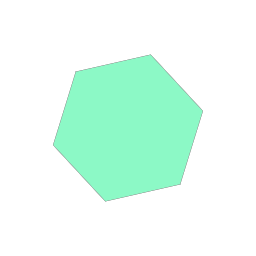
# Concave is fine.
GeomDraw.polygon_2d_colored(PackedVector2Array([
	c + Vector2(0, -r), c + Vector2(r * 0.34, -r * 0.3),
	c + Vector2(r, -r * 0.2), c + Vector2(r * 0.45, r * 0.35),
	c + Vector2(r * 0.6, r), c + Vector2(0, r * 0.52),
	c + Vector2(-r * 0.6, r), c + Vector2(-r * 0.45, r * 0.35),
	c + Vector2(-r, -r * 0.2), c + Vector2(-r * 0.34, -r * 0.3)]), AMBER)
// Concave is fine.
Geom.Draw.Polygon2DColored(new Vector2[] {
c + new Vector2(0, -r), c + new Vector2(r * 0.34f, -r * 0.3f),
c + new Vector2(r, -r * 0.2f), c + new Vector2(r * 0.45f, r * 0.35f),
c + new Vector2(r * 0.6f, r), c + new Vector2(0, r * 0.52f),
c + new Vector2(-r * 0.6f, r), c + new Vector2(-r * 0.45f, r * 0.35f),
c + new Vector2(-r, -r * 0.2f), c + new Vector2(-r * 0.34f, -r * 0.3f)}, AMBER);voidvoid polygon(points: PackedVector3Array)Polygon(Vector3[] points)
Filled polygon with any number of points, concave included. The points must not self-intersect and are assumed coplanar.border does not apply. For an outline, draw the points as a closed polyline.
voidvoid polygon_colored(points: PackedVector3Array, color: Color)PolygonColored(Vector3[] points, Color color)
Filled polygon in an explicit color.
voidvoid polygons(points: PackedVector3Array, counts: PackedInt32Array, colors: PackedColorArray)Polygons(Vector3[] points, int[] counts, Color[] colors)
Batch many polygons in 3D. See polygons_2d.
voidvoid polygon_2d(points: PackedVector2Array)Polygon2D(Vector2[] points)
Filled polygon on the canvas.
voidvoid polygon_2d_colored(points: PackedVector2Array, color: Color)Polygon2DColored(Vector2[] points, Color color)
Filled polygon on the canvas in an explicit color.
voidvoid polygons_2d(points: PackedVector2Array, counts: PackedInt32Array, colors: PackedColorArray)Polygons2D(Vector2[] points, int[] counts, Color[] colors)
Batch many polygons on the canvas. counts says how many points each takes from points, as in polylines_2d.
Textures
voidvoid texture(center: Vector3, size: Vector2, texture: Texture2D)Texture(Vector3 center, Vector2 size, Texture2D texture)
A texture in a rectangle, tinted by color. Textured rectangles share a draw call only if they share a texture.
voidvoid texture_colored(center: Vector3, size: Vector2, texture: Texture2D, modulate: Color)TextureColored(Vector3 center, Vector2 size, Texture2D texture, Color modulate)
A texture in a rectangle with an explicit tint.
voidvoid texture_2d(center: Vector2, size: Vector2, texture: Texture2D)Texture2D(Vector2 center, Vector2 size, Texture2D texture)
A texture in a rectangle on the canvas.
voidvoid texture_2d_colored(center: Vector2, size: Vector2, texture: Texture2D, modulate: Color)Texture2DColored(Vector2 center, Vector2 size, Texture2D texture, Color modulate)
A texture on the canvas with an explicit tint.
Text
voidvoid text(world_position: Vector3, text: String)Text(Vector3 worldPosition, string text)
A label at a world position, drawn on the canvas above everything 3D. Skipped when behind the camera.
voidvoid text_colored(world_position: Vector3, text: String, color: Color)TextColored(Vector3 worldPosition, string text, Color color)
A world-space label in an explicit color.
Vector2Vector2 text_size(text: String)TextSize(string text)
Size of text at the current font and size.