
Solids and 3D
Solid shapes, shading, and billboarding.
Most geom shapes are flat, in 2D or 3D. Though we provide some that are solid: sphere, cuboid, cone
and torus.
extends Node3D

func _process(_delta: float) -> void:
	GeomDraw.reset_all_draw_states()
	GeomDraw.blend_mode = Geom.BLEND_TRANSPARENT_DEPTH
	GeomDraw.shading = 0.8

	GeomDraw.sphere_colored(Vector3(-2.7, 0.0, 0.0), 0.7, Color(0.42, 0.85, 1.0))
	GeomDraw.transform = Transform3D(Basis.from_euler(Vector3(0.4, 0.6, 0.0)), Vector3(-0.9, 0.0, 0.0))
	GeomDraw.cuboid_colored(Vector3.ZERO, Vector3(1.1, 1.1, 1.1), Color(1.0, 0.78, 0.36))
	GeomDraw.reset_transform()
	GeomDraw.cone_colored(Vector3(0.9, -0.7, 0.0), 0.7, 1.4, Color(0.55, 0.98, 0.78))
	GeomDraw.torus_colored(Vector3(2.7, 0.0, 0.0), 0.55, 0.3, Color(1.0, 0.47, 0.6))
using Godot;
public partial class Solids : Node3D
{
public override void _Process(double delta)
{
Geom.Draw.ResetAllDrawStates();
Geom.Draw.BlendMode = Geom.BlendMode.TransparentDepth;
Geom.Draw.Shading = 0.8f;
Geom.Draw.SphereColored(new Vector3(-2.7f, 0.0f, 0.0f), 0.7f, new Color(0.42f, 0.85f, 1.0f));
Geom.Draw.Transform = new Transform3D(Basis.FromEuler(new Vector3(0.4f, 0.6f, 0.0f)), new Vector3(-0.9f, 0.0f, 0.0f));
Geom.Draw.CuboidColored(Vector3.Zero, new Vector3(1.1f, 1.1f, 1.1f), new Color(1.0f, 0.78f, 0.36f));
Geom.Draw.ResetTransform();
Geom.Draw.ConeColored(new Vector3(0.9f, -0.7f, 0.0f), 0.7f, 1.4f, new Color(0.55f, 0.98f, 0.78f));
Geom.Draw.TorusColored(new Vector3(2.7f, 0.0f, 0.0f), 0.55f, 0.3f, new Color(1.0f, 0.47f, 0.6f));
}
}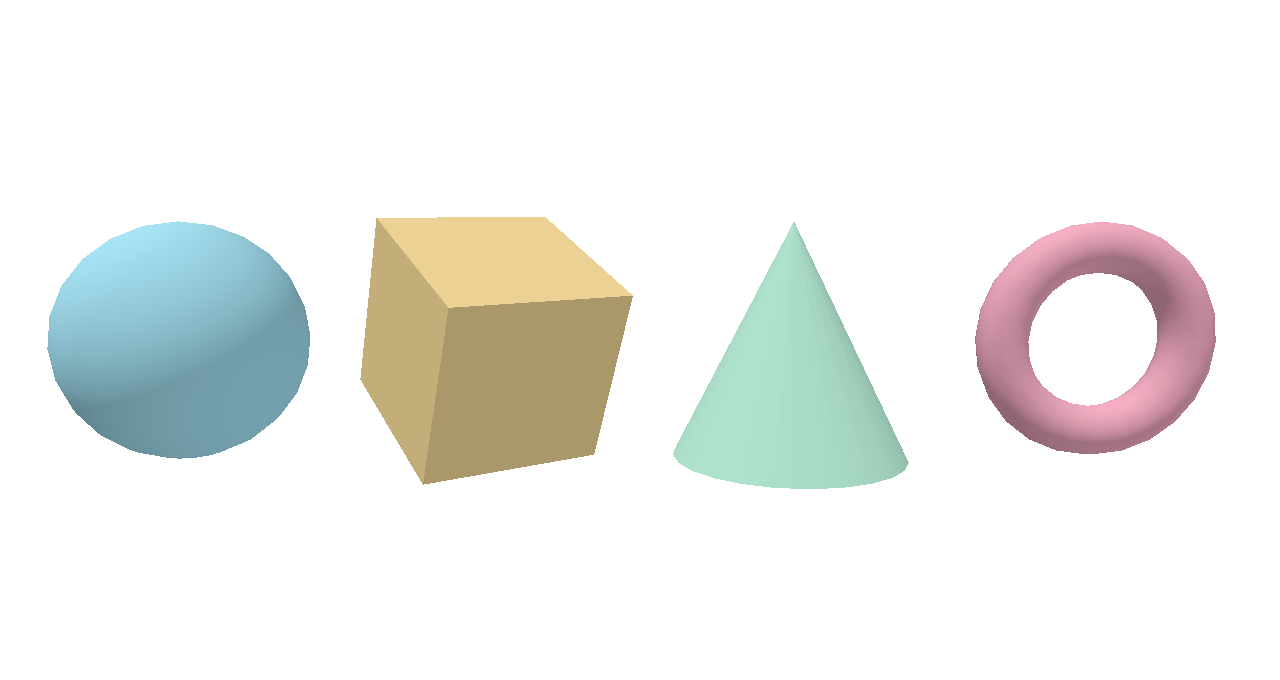
Solids are meshes. They take one color, and don’t support fill, dashes, or outline. For
solids to hide each other by position, draw them in BLEND_TRANSPARENT_DEPTH
or BLEND_OPAQUE; see the draw order guide.
primitive_detail sets the segment count around a sphere, cone or torus.
cone_cap fills a cone’s base.
Shading
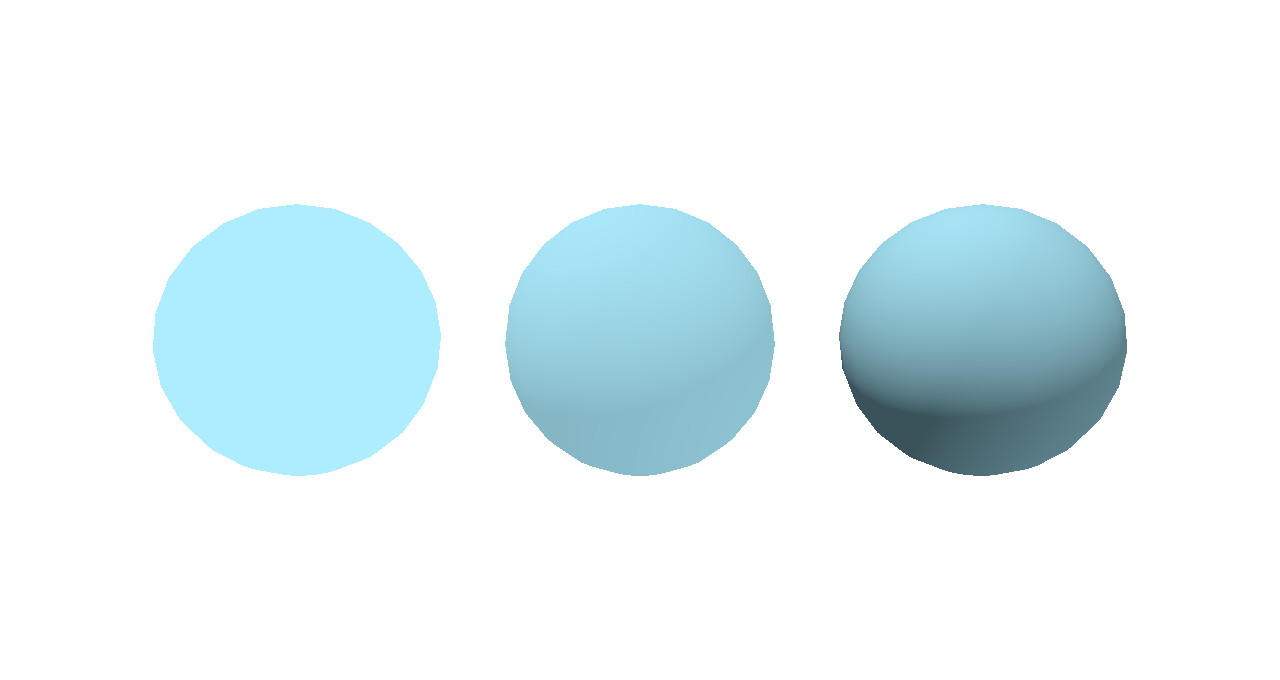
shading runs from 0, a flat silhouette, to 1, fully shaded. Flat shapes
ignore it.
extends Node3D

func _process(_delta: float) -> void:
	GeomDraw.reset_all_draw_states()
	GeomDraw.blend_mode = Geom.BLEND_TRANSPARENT_DEPTH
	GeomDraw.color = Color(0.42, 0.85, 1.0)

	GeomDraw.shading = 0.0
	GeomDraw.sphere(Vector3(-2.0, 0.0, 0.0), 0.8)
	GeomDraw.shading = 0.5
	GeomDraw.sphere(Vector3(0.0, 0.0, 0.0), 0.8)
	GeomDraw.shading = 1.0
	GeomDraw.sphere(Vector3(2.0, 0.0, 0.0), 0.8)
using Godot;
public partial class Shading : Node3D
{
public override void _Process(double delta)
{
Geom.Draw.ResetAllDrawStates();
Geom.Draw.BlendMode = Geom.BlendMode.TransparentDepth;
Geom.Draw.Color = new Color(0.42f, 0.85f, 1.0f);
Geom.Draw.Shading = 0.0f;
Geom.Draw.Sphere(new Vector3(-2.0f, 0.0f, 0.0f), 0.8f);
Geom.Draw.Shading = 0.5f;
Geom.Draw.Sphere(new Vector3(0.0f, 0.0f, 0.0f), 0.8f);
Geom.Draw.Shading = 1.0f;
Geom.Draw.Sphere(new Vector3(2.0f, 0.0f, 0.0f), 0.8f);
}
}
Billboarding
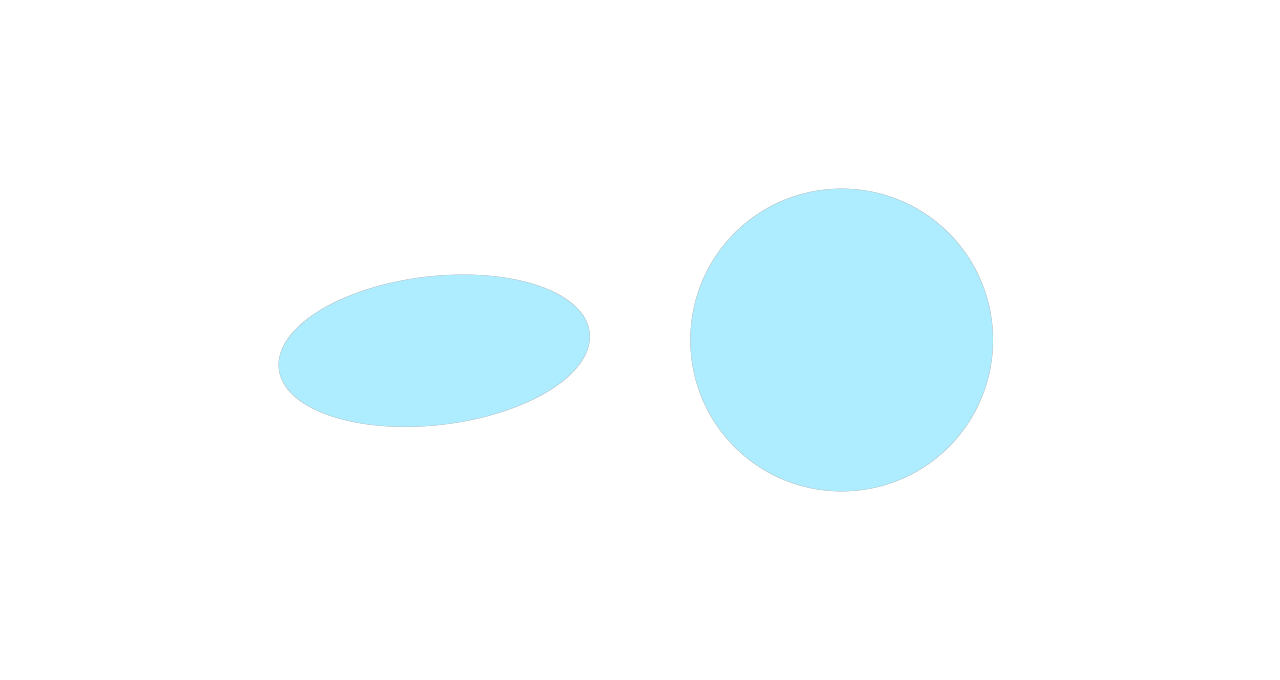
billboard turns a flat shape to face the camera.
extends Node3D

func _process(_delta: float) -> void:
	GeomDraw.reset_all_draw_states()
	GeomDraw.color = Color(0.42, 0.85, 1.0)
	GeomDraw.transform = Transform3D(Basis.from_euler(Vector3(-1.2, 0.0, 0.0)), Vector3.ZERO)

	GeomDraw.disc(Vector3(-1.2, 0.0, 0.0), 0.9)
	GeomDraw.billboard = true
	GeomDraw.disc(Vector3(1.2, 0.0, 0.0), 0.9)
using Godot;
public partial class Billboard : Node3D
{
public override void _Process(double delta)
{
Geom.Draw.ResetAllDrawStates();
Geom.Draw.Color = new Color(0.42f, 0.85f, 1.0f);
Geom.Draw.Transform = new Transform3D(Basis.FromEuler(new Vector3(-1.2f, 0.0f, 0.0f)), Vector3.Zero);
Geom.Draw.Disc(new Vector3(-1.2f, 0.0f, 0.0f), 0.9f);
Geom.Draw.Billboard = true;
Geom.Draw.Disc(new Vector3(1.2f, 0.0f, 0.0f), 0.9f);
}
}
Sizes
The thickness and radius spaces work the same as in 2D: SPACE_WORLD shrinks with
distance, SPACE_VIEWPORT_PIXELS keeps its size on screen.